



The term AVAILABILITY means the quantity of resources that can be booked in a given period
By default the availability is null, it must be set manually.
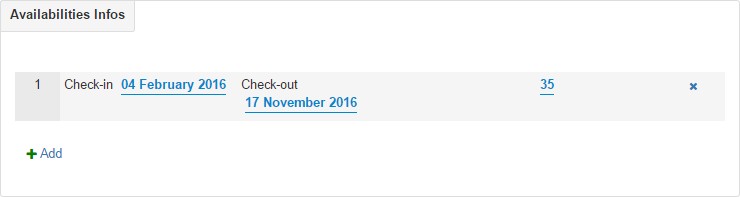
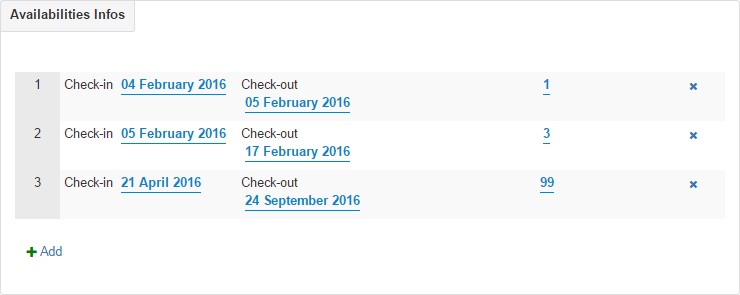
There are two methods to change availability, the first from the availability item in the resource creation menu
(Ads -> Resources -> Availability)
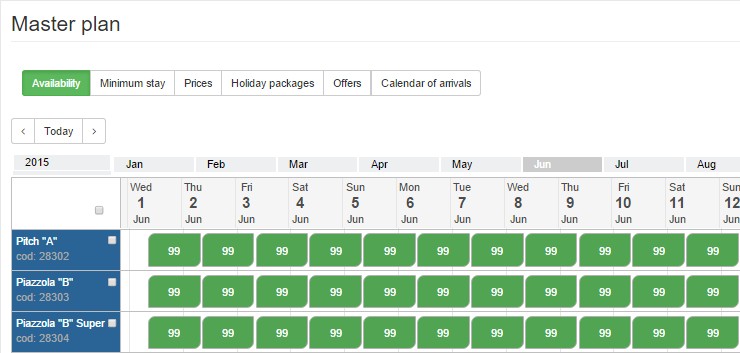
The second via Master Planner
(Master Planner -> Availability -> Period Selection -> Change)
it is possible to enter different availability values for different periods as long as they do not conflict with each other.
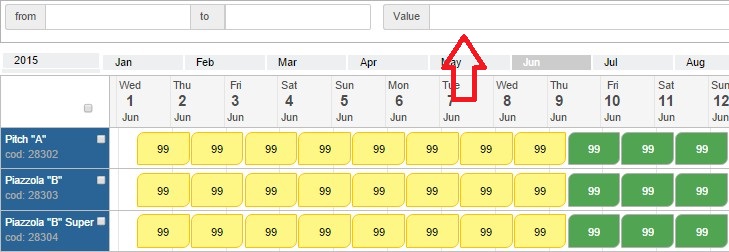
If you prefer a faster method to change availability, you can access it through the Master Planner
Make a MULTIPLE SELECTION (left click – drag) that includes the resources and the period for which you intend to change the availability


Privacy Policy generated with
Privacy Policy generated with