Resource Detail
How do I reach this section?
From the main menu: Ads -> Resources-> Resource-> Settings
This section is divided into four main areas: Resource Settings, Settings, Time Units and Conditions. This last area will be activated after the first saving of the resource.
Resource settings
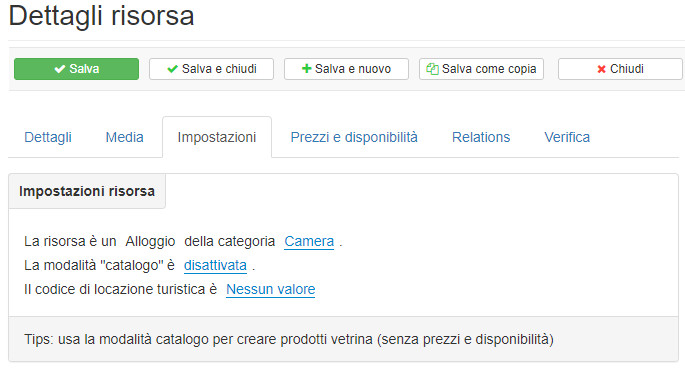
Each resource is mainly characterized by a Type. Basically the types are of two types: housing and generic services. There are also verticalizations for particular types of resources: experiences, packages, rentals, beach places.Catalog mode: activate this mode to create showcase products. Once activated, the Prices and Availability, Relations and Verification tabs will be deleted as they are no longer of any use.
Accommodation type resource:
Settings
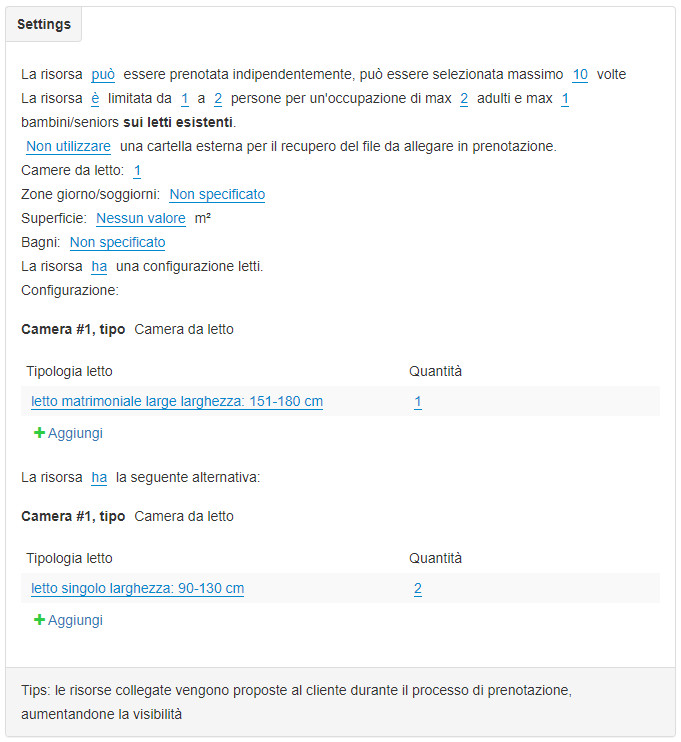
The characteristic settings of the previously identified type of resource are made available in this area. We will therefore find specific distinctions that arise because many resources have their own characteristics that cannot be simply merged with a single type. An accommodation-type resource will need to use its own terminologies such as “beds”, “living areas” and at the same time association of specific features of these specific terms while a generic service resource will certainly not need to configure or read or let alone living areas.
Time unit
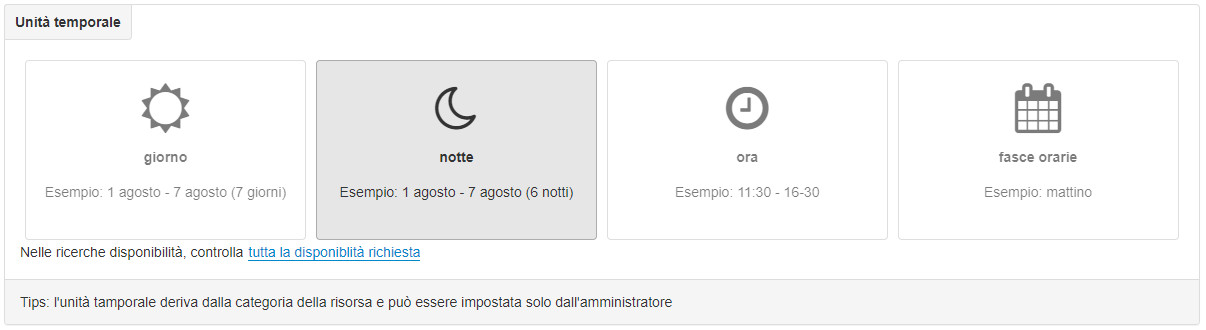
In this area you can choose one of the units proposed: day, night, time and time slots. In an accommodation type resource, the Night unit will usually be chosen.
Once the time unit of the resource has been selected, it can no longer be changed. The type of resource is not bound to a specific time unit. You can therefore have generic service resources that adopt time bands and other generic service resources that use hourly units.
Conditions
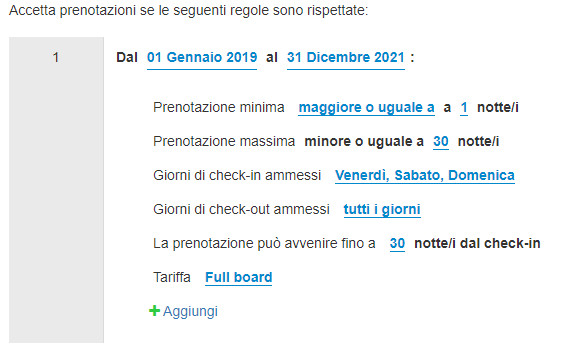
In this area you can choose how to apply particular restrictions to the reservation of the resource.
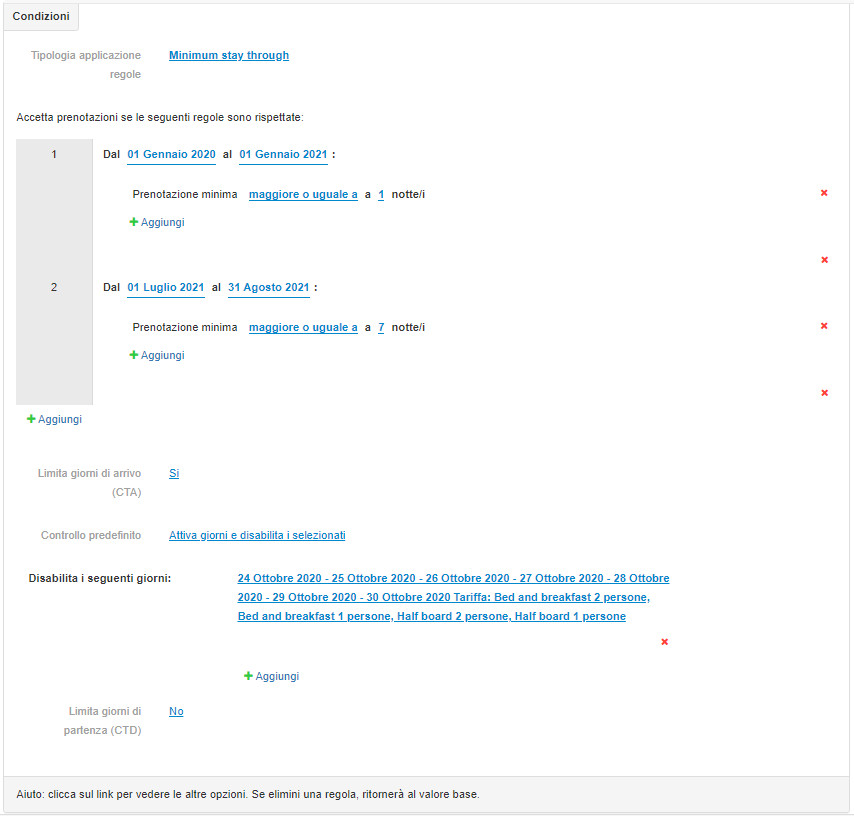
Minimum Stay (Type of rules application): bookingfor manages the minimum stay arrival and the minimum stay through
There are 2 “philosophies” for managing the minimum stay:
1. the one called “Minimum stay arrival” which uses the rules set for the day of check-in for the entire period of stay of the holiday; this type is for example used by Expedia
2. the one called “Minimum stay through – MinLOS” which analyzes the rules set day by day during the entire stay period; this type is for example used by Booking
Esempio pratico: considerato un periodo di 3 notti dal 10/xx/xxxx al 12/xx/xxxx con minimumstay diversi per ciascun giorno.
data 10/xx/xx → MinStay 1
data 11/xx/xx → MinStay 2
data 12/xx/xx → MinStay 3
Adottando la prima logica, quella chiamata “Minimum stay arrival”, se si arriva l’11 posso fare l’11 e il 12, quindi solo 2 notti; mentre con la logica del “Minimum stay through – MinLOS”, se si arriva l’11 non si potrà fare l’11 e il 12 poiché il 12 richiede 3 notti.

Rules: for a reservation to be valid, restriction rules may be indicated.
- MinLOS minimum booking
- Maximum booking
- Check-in days allowed
- Check-out days allowed
- Release
- Rate