


User guide
Cancellation terms
First of all!
Before creating a Cancellation Term you must have previously created the payment methods. Find out how to create a new one Payment methods.
With “Cancellation terms” it refers to the set of elements necessary to define periods, amounts and payment methods for a reservation or its possible cancellation. The subscription includes some generic cancellation terms loaded by Default.
How do I reach this section?
From the main menu: Settings -> Cancellation terms-> New- You can specify if there is a limit period for free cancellation and if you want to set a time window between the booking and the guest’s arrival.
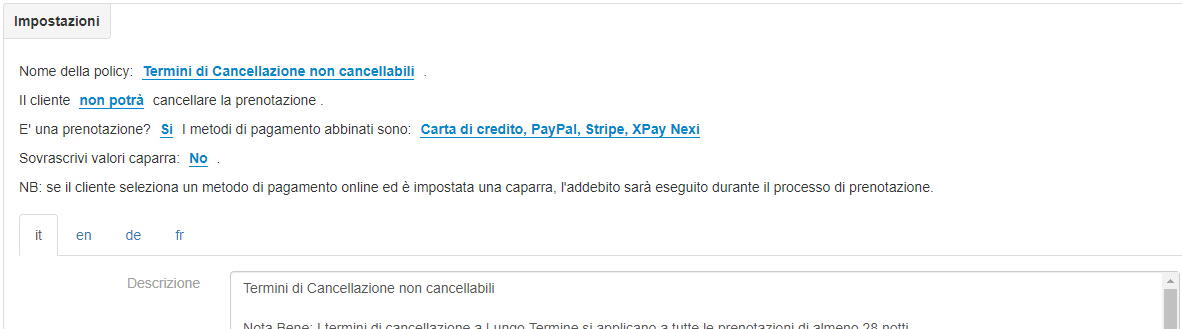
- You can indicate the amount that the guest will have to pay in case of cancellation or no-show. Example of cancellation terms:
Non Rimborsabile
Flessibile
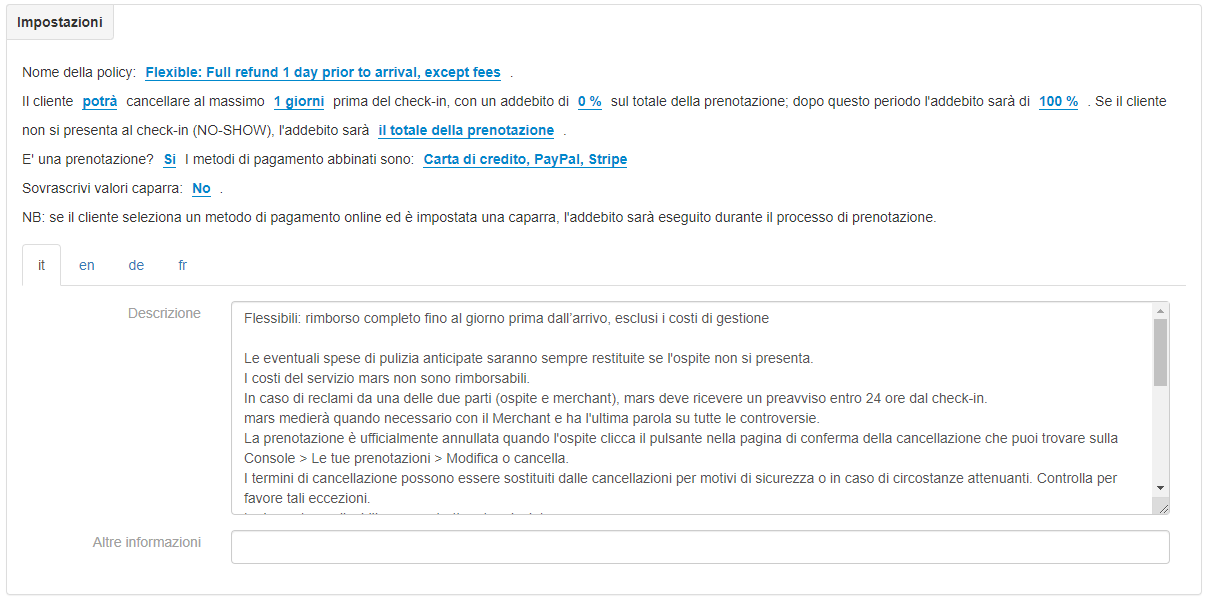
Complete the text fields according to your cancellation needs.
What should I do now!
After creating the new conditions, you need to link them to a rate in order to activate them on your page. Find out how to associate a new cancellation policy with one Tariff categories.


