When creating a subscription, 3 basic templates for request emails are loaded by default: Availability, Merchant, Resource.
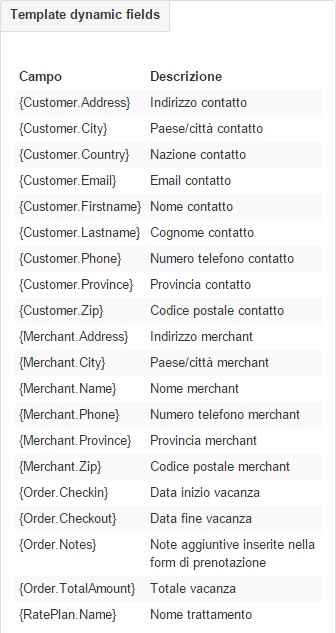
These emails provide for the self-compilation of variable fields by type of request. (Name of the merchant – Email of the customer – Email of the merchant)
How to access the default mail menu and create a new one: Subscriptions -> EMails -> + New
The customization page of the new email will be the following:
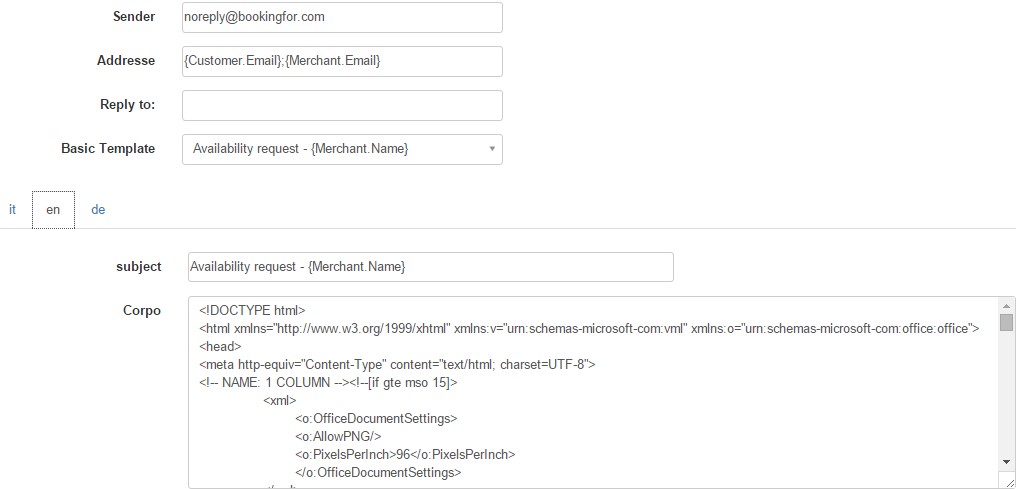
Define in the “Sender” section what will be displayed as the sender of the e-mail.
Define in the “Addresses” section the reference addresses of the e-mail (the customer’s e-mail – the merchant’s e-mail)
Define in the “Reply to” section the email address to which replies will be forwarded
In the “Basic template” section, define the basic template you intend to use for the type of mail you are defining
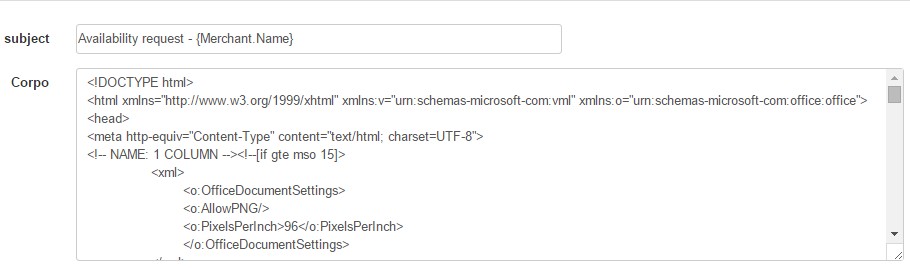
Set the subject of the email and the textual body, inserting an HTML code if necessary.
All fields included in curly brackets are missing “Dynamic fields” and it is possible to select them through the menu “Dynamic template fields”